
How to Choose a Pan Tilt Video Platform in 2026?
Choosing a Pan Tilt Video Platform in 2026 is not simply a camera comparison. It is a workflow decision involving movement, control, connectivity, security, and long-term support. A platform may look impressive in a showroom, yet struggle in a dim lecture hall or crowded control room.
Paul Richards, founder of PTZOptics and a recognized video-production educator, has said, “PTZ cameras are a great way to capture high-quality video without needing a camera operator.” That principle still matters, but it needs careful testing. Remote operation is valuable only when presets respond smoothly, autofocus remains stable, and operators can recover quickly from mistakes.
This guide examines the details that often decide real-world performance. We will consider pan and tilt speed, optical zoom, low-light image quality, tracking accuracy, control protocols, latency, mounting options, and software compatibility. A platform installed above a stage should frame speakers without visible shaking. A church, classroom, or corporate studio may need different priorities. Network reliability also deserves attention, especially when several cameras share one connection.
There is no perfect choice. A cheaper platform can sometimes deliver excellent images, while an expensive model may complicate daily operation. That is easy to overlook. The strongest decision comes from matching measurable needs with practical experience, not trusting specifications alone. Expect trade-offs, and test them before purchase.
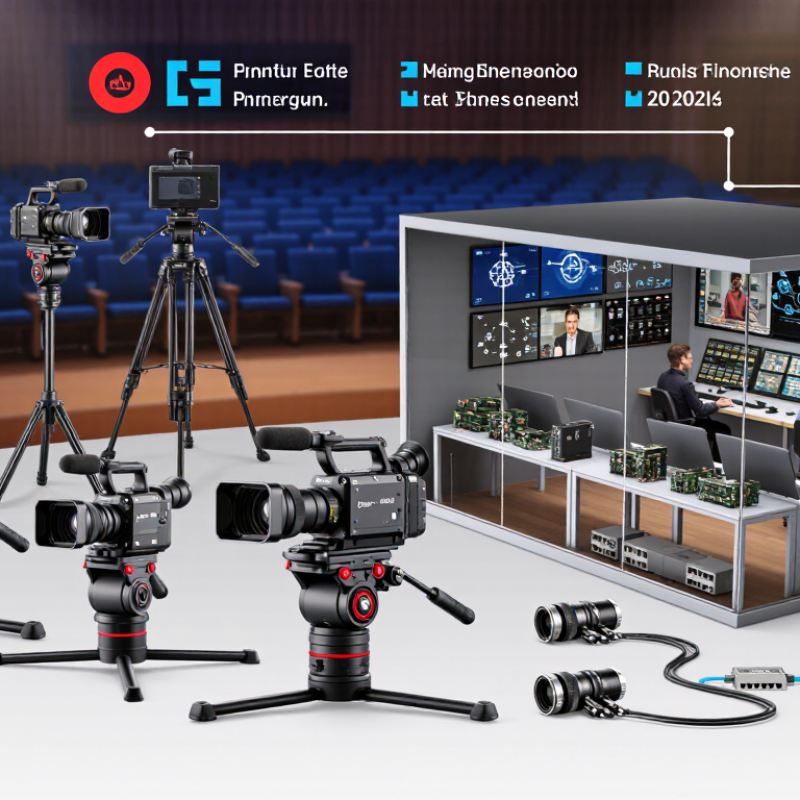
What Is a Pan-Tilt Video Platform and How Does It Work?
How to Choose a Pan Tilt Video Platform in 2026?
A pan-tilt video platform combines a movable camera, control software, networking, and video management. The camera rotates horizontally and vertically through motorized joints. Optical zoom brings distant details closer without immediately reducing image quality. Digital zoom enlarges pixels, but details may become unclear.
The platform usually receives commands through a web console, mobile interface, joystick, or automation system. Preset positions help operators monitor gates, loading areas, corridors, or wide outdoor spaces. Some systems also use motion tracking, scheduled patrols, and event alerts. Network video is compressed by an encoder, transmitted through IP networks, then stored locally or remotely. In real installations, latency matters. A two-second delay can make manual tracking frustrating.
Industry demand supports this design shift. Grand View Research estimated the global video surveillance market at about 55 billion dollars in 2023, with continued growth through 2030. MarketsandMarkets also projects strong expansion in intelligent video analytics during the same period. These reports suggest that movement alone is no longer enough. Integration matters.
When comparing platforms, check pan speed, tilt range, zoom performance, low-light clarity, control latency, and weather protection. Confirm storage capacity and user permissions. Test tracking near glass, shadows, rain, and moving vehicles. Results can be imperfect. Analytics may lose a subject, especially in crowded scenes. A cheaper platform may still work, but weak software can waste the hardware’s value.
Which Pan-Tilt Features Match Your Monitoring Requirements?
Choosing a pan-tilt video platform in 2026 starts with your monitoring routine, not its feature list. A wide rotation range helps cover loading bays, corridors, and open yards. However, movement speed matters more in busy scenes. A camera that turns quickly can follow a moving person, but sudden motion may reduce image stability. Test both behaviors under real conditions.
Match optical zoom to the distance between the camera and critical areas. For a small reception desk, moderate zoom may be enough. Large outdoor spaces need stronger magnification and clear detail at the far edge. Look for accurate presets, smooth manual control, and dependable return-to-position performance. Five useful presets often outperform twenty rarely used ones.
Lighting changes the decision. Infrared support can reveal movement after dark, while wide dynamic range protects details near glass doors. In wet or dusty locations, check the platform’s environmental protection rating. Network reliability also deserves attention. A stable connection, encrypted access, and local recording options can reduce gaps during outages. These protections should be tested, not assumed.
Automatic tracking sounds attractive, yet it can lose subjects behind vehicles, poles, or crowds. Treat it as an assistant rather than a guarantee. I would compare recorded clips from daylight, rain, and low-light scenes before purchasing. Even careful testing may miss an unusual angle. That uncertainty should influence placement, maintenance plans, and operator training.
How to Evaluate Image Quality, Coverage, and Movement Precision
How to Choose a Pan Tilt Video Platform in 2026?
Image quality should be tested where the camera will operate, not only in a showroom. I check faces, signs, and moving objects under daylight, shadows, and low light. Resolution matters, but lens quality and image processing often matter more. Wide dynamic range can preserve details near bright windows. Excessive sharpening may create artificial edges.
I once trusted a high-resolution specification and missed fine details at night. That result changed my testing method.
Coverage depends on more than the stated viewing angle. Measure the actual scene from the planned mounting height. A wide lens may show more space but reduce useful detail at a distance. Check for ceiling edges, nearby walls, and hidden corners. A simple floor plan can reveal blind spots before installation. Digital zoom should not replace proper positioning. It usually enlarges weakness.
Movement precision affects every live response and recorded view. Test pan and tilt speed, stopping accuracy, preset repeatability, and control latency. The camera should stop smoothly without visible overshoot. Small mechanical play can shift a distant subject several meters on screen. Try repeated movements after long operation, because heat may change performance.
My early tests focused on maximum speed, but smooth low-speed control proved more valuable.
Keep a short test log with lighting, distance, movement commands, and observed errors.
Specs are useful. Direct evidence is better.
What Connectivity, Control, and Integration Options Should You Compare?
A pan tilt video platform should match the network conditions at your installation site. Compare wired Ethernet, wireless access, and cellular fallback options carefully. Wired connections usually provide steadier streams in control rooms. Wireless links are convenient, but thick walls can weaken signals. Cellular backup helps maintain access during local network failures. Check bandwidth requirements for live viewing, recording, and remote operators.
Control quality matters during real operations. Test pan speed, tilt accuracy, preset positions, zoom response, and manual override functions. A camera that moves smoothly at noon may behave differently during crowded network traffic. I have seen operators lose time because controls felt responsive on paper, but delayed in practice. That small delay can affect inspection work. Do not trust specifications alone. Run a practical trial with the expected cable length, lighting, and user load.
Tips: Ask whether the platform supports open interfaces, event triggers, and documented application programming interfaces. Confirm compatibility with your video management system and access-control workflow. Test user permissions with separate operator accounts. Review encryption, firmware updates, audit logs, and data-retention settings. Keep integration simple where possible. More features can create more failure points. Record test results, even imperfect ones, because assumptions often survive longer than evidence.
How to Choose a Pan Tilt Video Platform in 2026? - What Connectivity, Control, and Integration Options Should You Compare?
| Comparison Dimension | Wired IP / PoE Platform | Wi-Fi IP Platform | Cellular 4G/5G Platform | USB Video Platform | SDI / HDMI Platform |
|---|---|---|---|---|---|
| Primary Connection | Ethernet, usually 100 Mb/s or 1 Gb/s; Power over Ethernet may carry power and data on one cable. | 2.4 GHz or 5 GHz Wi-Fi; a separate DC power connection is normally required. | 4G LTE or 5G mobile network; local Ethernet or Wi-Fi may also be available. | USB 2.0 or USB 3.x connection directly to a computer, encoder, or conferencing appliance. | SDI or HDMI video output with separate power and control connections. |
| Typical Deployment | Permanent installations, security systems, lecture halls, studios, and enterprise AV networks. | Rooms where cabling is difficult but reliable local wireless coverage is available. | Outdoor, temporary, mobile, or remote sites without dependable wired broadband. | Video conferencing, live streaming, telemedicine, education, and desktop production. | Broadcast, production control rooms, long cable runs, and low-latency video workflows. |
| Power Options | PoE Class 3 can provide up to 15.4 W at the source; PoE+ can provide up to 30 W; higher-power PoE may be needed for heaters or accessories. | Typically 12 V DC or an external AC adapter; power is not supplied through standard Wi-Fi. | External DC, battery, vehicle power, or solar-assisted systems; power planning is critical for remote operation. | USB bus power may be sufficient for compact models; higher-performance units often require additional power. | External AC/DC power is typical; SDI and HDMI do not normally provide operating power. |
| Video Resolution and Frame Rate | Commonly 1080p or 4K at up to 30/60 fps, depending on codec, sensor, and network capacity. | Commonly 1080p or 4K at up to 30 fps; wireless congestion can reduce stability or frame rate. | Commonly 1080p at 25/30 fps; 4K depends on modem performance, signal quality, and data plan. | Often 1080p at 30/60 fps; 4K requires USB 3.x bandwidth and compatible host hardware. | 1080p or 4K; SDI is commonly selected for predictable uncompressed or lightly compressed production paths. |
| Video Transport and Codecs | RTSP/RTP, HTTP, SRT, or similar IP transport; H.264 is widely supported, while H.265 improves compression efficiency. | The same IP protocols as wired systems, but practical performance depends on wireless latency, interference, and packet loss. | SRT, RTMP, RTP, or vendor-neutral IP streaming; adaptive bitrate is valuable when bandwidth changes. | Usually uncompressed UVC video over USB; host applications perform encoding or recording. | SDI is baseband video; HDMI is digital baseband video. An external encoder is required for network streaming. |
| Pan and Tilt Control | Web interface, IP API, ONVIF controls, serial control, or joystick; common pan ranges include ±170° to 360° continuous. | IP control through the local network; response quality depends on wireless latency and connection stability. | Remote control through cloud or IP access; cellular coverage directly affects command responsiveness. | UVC controls or application-specific control; pan and tilt functions may require a compatible host application. | RS-232, RS-422, RS-485, VISCA-style serial control, or an IP-to-serial gateway is commonly used. |
| Preset and Tracking Functions | Usually supports position presets, tours, autofocus, digital tracking, and sometimes subject or face tracking. | Similar feature set to wired IP models, provided the camera firmware and wireless link remain stable. | Presets and tracking are available on many systems; cloud processing may add delay or require an active subscription. | Often supports presets and automatic framing through software; feature availability depends heavily on the host application. | Preset and tracking support depends on the camera head and control system; video output alone does not provide these functions. |
| Integration Standards | ONVIF profiles, RTSP, REST or HTTP APIs, WebSocket control, SNMP, and software development kits may be available. | IP standards are generally the same as wired systems; verify multicast, VLAN, and enterprise Wi-Fi support. | REST APIs, cloud APIs, RTSP/SRT, VPN, and secure remote management are important evaluation points. | UVC, USB Video Class controls, DirectShow, Video4Linux, and conferencing software compatibility. | VISCA-style serial protocols, GPI/GPO, SDI ancillary data, and external switcher or automation interfaces. |
| Latency Considerations | Typically low and predictable on a properly configured LAN; encoder settings and buffering still affect end-to-end delay. | Usually higher and less predictable than wired Ethernet because of interference, retransmission, and access-point load. | Variable; network routing, mobile signal quality, and cloud services can add noticeable delay. | Often low from camera to host, but software capture, encoding, and conferencing applications may add delay. | Generally very low and predictable, especially with direct SDI connections and minimal processing. |
| Security and Management | Use HTTPS, strong credentials, firmware updates, VLAN segmentation, access control, and preferably 802.1X support. | Requires secure Wi-Fi authentication, network segmentation, strong administrative credentials, and regular firmware maintenance. | Requires SIM or eSIM management, VPN or encrypted transport, firewall policies, remote updates, and data-usage controls. | Security is mainly handled by the connected computer and application; disable unused host permissions and keep drivers updated. | Video links are often isolated; network security applies to connected control, monitoring, and encoding equipment. |
| Best Choice When... | You need dependable 24/7 operation, centralized management, PoE installation, and broad IP integration. | You need flexible installation and have a professionally managed, low-congestion wireless network. | You need connectivity at remote or temporary locations and can manage recurring mobile data costs. | You need simple computer-based capture, conferencing, or streaming with minimal external equipment. | You prioritize low latency, production reliability, and direct connection to professional video infrastructure. |
Note: Specifications shown are typical market ranges and common standards. Actual performance depends on the camera design, firmware, network configuration, lighting, cable length, and connected control or streaming equipment.
How to Assess Reliability, Security, Cost, and Future Scalability
Choosing a pan tilt video platform in 2026 requires evidence, not attractive specifications. Start with reliability under pressure. Run a continuous test across several days. Check motor accuracy, preset positions, image stability, and restart behavior. Test it outdoors. A stable system should recover after network loss without losing essential settings. Security deserves equal attention. Require encrypted video, multi-factor access, signed firmware, and detailed audit logs. Ask where recordings are stored and who can retrieve them. If the supplier cannot explain patch timing, reconsider the purchase.
Cost assessment must include more than the camera and license fee. Calculate installation labor, storage, bandwidth, maintenance, replacement parts, and operator training. A lower purchase price can become expensive after two years. Request a three-year cost model with realistic usage assumptions. Include power consumption. Also examine warranty terms and service response targets. In one practical review, a small saving disappeared after extra storage was added. That detail changed the decision.
Future scalability depends on open integration and manageable operations. Check documented APIs, standard protocols, role-based administration, and exportable data. The platform should support more cameras without making monitoring slower. Test a small pilot before approving a large rollout. Measure alert delays, image quality at night, and control accuracy. Do not trust a polished demonstration alone. I would also question my own assumptions. A quiet test site may hide crowded-network problems, weak passwords, or difficult maintenance. Leave room for failure.